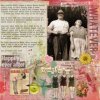
Cock n Bull Art Journal Challenge #4

Help !!! What should I do to post this properly please ?
 

Attachments

  • Cock & bull July 2015.jpg
    Cock & bull July 2015.jpg
    20 KB · Views: 50
Last edited:
Help !!! What should I do to post this properly please ?

Hi Rose! You will need to upload the image into the gallery here and then you can paste the image url from the gallery into this thread by using the cute window frame icon in the comment tool bar :D
 
Hi Rosie, Welcome!!!

I am taking the liberty of posting a larger photo for you. I looked around here to see if there were any step by step instructions, but I wasn't able to find any. So anyway... This is how I do it.

Upload to the Gallery. Open up your layout so that it is large, not just the thumbnail. Right-click on the photo. Depending on what browser you use, there will be something about copying the image URL. Click on that option, then get on over to the Forum, start your reply and then click on the PHOTO icon at the top of the REPLY box (it looks like a little tree, 3rd from the right). When you hover over it, it says INSERT IMAGE. You will get a pop-up box that says to insert your URL. Paste the URL (CTRL V or COMMAND V for a MAC) into the box and your image will appear.

Here is yours:
Cock_bull_July_20151.png


There is also another way of linking right back to the gallery, but I haven't figured out how to do that. So this is what I do. While I'm still in the gallery (have 2 sessions opened - gallery & forum message), and my image is LARGE, I then copy the address of my page (up at the very top of your screen) and then paste that below my photo. That way, everyone can admire your layout & give you warm & fuzzy comments in the gallery.

Hope this helps.
Marilyn
 
Last edited:
Hi Marilyn,


oh what an absolute star you are, thank you sooo much! I'll try to make my way a little higher up the learning curve before the next time : ))
 
Hope this makes sense. This is how I link my photo to the gallery image.
Gallery instructions: 1. After you upload to the gallery click on your image which will put your image on it's own page. 2. Click and copy the linked image info if that option is showing. 3. Go to the forum, click on reply to thread and paste the linked image info into the big box that opens. Sometimes you won't get the linked image option so you have to do the linking manually.
Manual Linking in the Gallery: 4. After uploading your image, click on the image you uploaded. 5. Copy the URL at the top of the page. I then paste this info into a word doc. 6. Then right click on the image itself. This will give you a chance to copy the URL for the image. (You will find this URL option under Properties in some browsers. You will have to copy the URL info that pops up under Properties.).
Forum directions: 7. When you reply to the forum thread click the square icon above the image area and paste your copied image URL info in the little box that opens. 8. Next, take your mouse and highlight your uploaded image. 9. Go to the icons at the top of your image and choose the globe. A box will open and you can paste the URL from your word doc in that box. That will create a hot link to the gallery from the forum.
 
Last edited:
Back
Top