Okay, I need some help....

dvhoward

Don't bother me before 10am!
Joined
Oct 17, 2012
Messages
7,651
I just tried to post in the MOC challenge thread my two "Before" photos that ended up becoming part of my imperfect photo layout. I saved the two photos to my computer as jpegs 400 x 200 (so they wouldn't befull size).
I could not get those images into the thread. I ended up having to upload them to Photobucket and posting the URL to that site to get the photos into my post. THERE HAS GOT TO BE A WAY TO JUST PUT IN THE PHOTOS WITHOUT A LINK. HOW? Obviously, I'm somewhat computer illiterate, so explain s-l-o-w-l-y. and c-l-e-a-r-l-y, pretty please.
 
I always use Photobucket or the gallery here. It has to get online somehow. We can't see files that are just on your computer.
 
yeah, it's kind of an extra step, but I do the same... upload to Photobucket and the use the link to post in the forum here. Sorry. You're not so computer illiterate after all since you're doing it right! :)
 
OK, I just tested the Attach icon... let's see...
 

Attachments

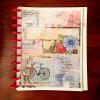
  • DailyPage1_jenevang_web.jpg
    DailyPage1_jenevang_web.jpg
    90.2 KB · Views: 18
Last edited:
I can insert without hosting on photobucket, etc... but it looks like THAT (see above). I edited a couple of times to see if I could get it "in the post" but haven't gotten it to do so yet.

You have to "go advanced" then the paperclip icon appears. You can attach files from your computer from there.
 
Last edited:
Hold the phone... if you click "Insert Inline" instead of "Done" after adding the attachment it puts it in the post.

See...

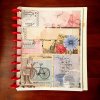
DailyPage1_jenevang_web.jpg

TADA... no hosting...
 
IMG_4576.jpg
oooooooooooooooooooooh that is so cool JEN!! the paperclip button on advance reply!
 
Jenevang IS a rock star! Way to figure this out. I'm psyched!!
 
Okay, I'm still not getting this. I'm on a PC, my photo is in my web layouts folder. I right click on said photo and I don't see the options you're talking about. Where am I going wrong. Just where is "Insert inline" at? Is it with the photo file, Photobucket, here at TLP?
 
Last edited:
Original-photo-for-MOC-20-web.jpg Click to enlarge RadLabEditonOriginalMOC20-web.jpg Click to enlarge


OH, MY, I think I may have stumbled onto it. Now ... to remember how I did this. Thanks so much, Jen :)
 
Last edited:
Okay, I'm still not getting this. I'm on a PC, my photo is in my web layouts folder. I right click on said photo and I don't see the options you're talking about. Where am I going wrong. Just where is "Insert inline" at? Is it with the photo file, Photobucket, here at TLP?

It's here.

1. "Go Advanced" (at the bottom right between the "Post Quick Reply" and "Cancel")

2. You should see an expanded icon menu at the top of the post. And on the top line there is a little paperclip looking thingie.
It says "Fonts", "sizes", "A", then there is a "smiley face", then the "paperclip"... I'll try to get a screenshot if you still don't see it.

3. When you hit the paperclip (attachments), it will bring up a separate pop-up window. At the top right, there is a button for "Add Files"

4. Select the one you want to add from your hard drive, then hit "Upload Files" (in the middle).

5. After it uploads, it will go to the bottom area that is named "attachements". Make sure it is checked and then hit the "Insert Inline" button at the bottom right (next to the "Done").

And there you go... Bob's Your Uncle.

NOTE: If you want to insert a photo you have already uploaded, you can just drag it to the bottom and check it...

Let me know if you still have questions and I'll do screenshots.
 
And YES, it is tiny... but it expands when you click it.

It may have some limited uses, but of course PB will make it look bigger in the thread.
 
Okay, I'm trying something else now.

http://s901.photobucket.com/user/dv...or-MOC-20-web_zps5037d93f.jpg.html?sort=3&o=1

Didn't work...
Another try...

Original-photo-for-MOC-20-web_zps5037d93f.jpg


This worked. Right click on image in Photobucket > Copy Image URL ; return to forum thread click on image icon (tree in square) and paste the image URL in drop down menu box. The image is there, but it is not linked.

If you have uploaded to PB, the easiest thing is to copy the "IMG" share link on the right side of the photo in Photobucket. Then you can just paste it right into your post.
 
Thanks for all the info Jen. It will all come in handy. I need to copy it to some place for when this thread get buried.
 
Back
Top