MaRCh Art JoUrnAL ChallengE #2 - > Technique Challenge - DUE APRIL 4th

Dalis

Jose Cuervo is NOT a good friend
Joined
May 6, 2011
Messages
21,594
This week we are going to be talking about GRADIENTS! I'll be back with some images. Let me know if you have any questions.

NOTE: I am not quite sure why the audio is so bad this time, I will try to re-record the audio. Just listened to is in a low volume, so the spikes in audio don't bother you so much.

LINK to video in case you don't see the embedded one right below this line: Gradient video.

[video=youtube;GN_5rTEf-Kg]http://www.youtube.com/watch?v=GN_5rTEf-Kg&feature=youtu.be[/video]

You don't need to be present in the chat to join us in our challenges. Challenges are due April 4th, our chat is not until April 11th at 1pm EST. Finish both of March's AJ challenges posted in the Art Journaling area and your name gets into the drawing for $10 of our monthly sponsor.
 
Last edited:
Thank you, Dalis, I really liked your video and I'm going to try these techniques asap :)
 
Thank you Dalis. The video was great. I was going back and forth from my Photoshop screen to your video - trying everything. Now I will go make my page...

24 hrs later....

This was so fun. I think I used every technique you showed us in the video. When I finished I didn't quite love the page, and generally I have found adding more isn't the right step. So I just went ahead and added more anyway... and finally the page took on a balance I was really pleased with.

I don't think its my best work yet, but thanks so much for encouraging me into Art Journaling..

almost forgot my page...
MarchArtJournalChallenge.jpg
 
Last edited:
Great video Dalis, the sound only gets bad at the end , and we can still hear you, so don't worry about it. :thumbsups
Sorry I had to leave the chat early ,but enjoyed it just the same. (still not finished with the mini albums, they take much longer than I thought...mostly because I am bad at taking pictures, so have to "fix" them.
 
Mine:


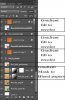
Here is my layer palette... used gradient for recoloring and also as a mask to blend papers together:
 

Attachments

  • gradientlayerpal.jpg
    gradientlayerpal.jpg
    43.8 KB · Views: 82
Added the link to the video just above the embedded video.
 
I found it and watched it. Thank you! Loved it too.. Now I am working on my page.
 
Sitting here with my jaw dropped. Never even noticed this tool. Going off to play now.
 
such a fab video; thanks Dalis. I'd never thought of using gradients to add light, and I had such a fun time playing with this while doing my page.
 
a little concerned that it looks a bit muddy . . .

I think I see what you mean in the left bottom corner with the grays? I don't think the color bothers me that much, but maybe a different blending in that color might spruce it up. Maybe it's just that it's a bit bottom heavy and your eyes go to the grey color.

such a fab video; thanks Dalis. I'd never thought of using gradients to add light, and I had such a fun time playing with this while doing my page.

OMG. I totally love that she is looking into the light!
 
Back
Top