
- Joined
- Nov 6, 2017
- Messages
- 10,063
Hello, welcome to the May Art Journaling Challenge. I took part in an art journaling conference last month, there were so many interpretations and thoughts on the same prompt - it was amazing. One of the ladies was inspired to create permission slips giving herself and us permission to ###. I thought this was such a cool idea and as I still keep thinking about it I decided we would use this concept for our May Muse.
I'd like you to muse on the prompt "I have permission." Please include that phrase on your page.
I'd love to see where this takes you. Here are a few ideas to get you started.
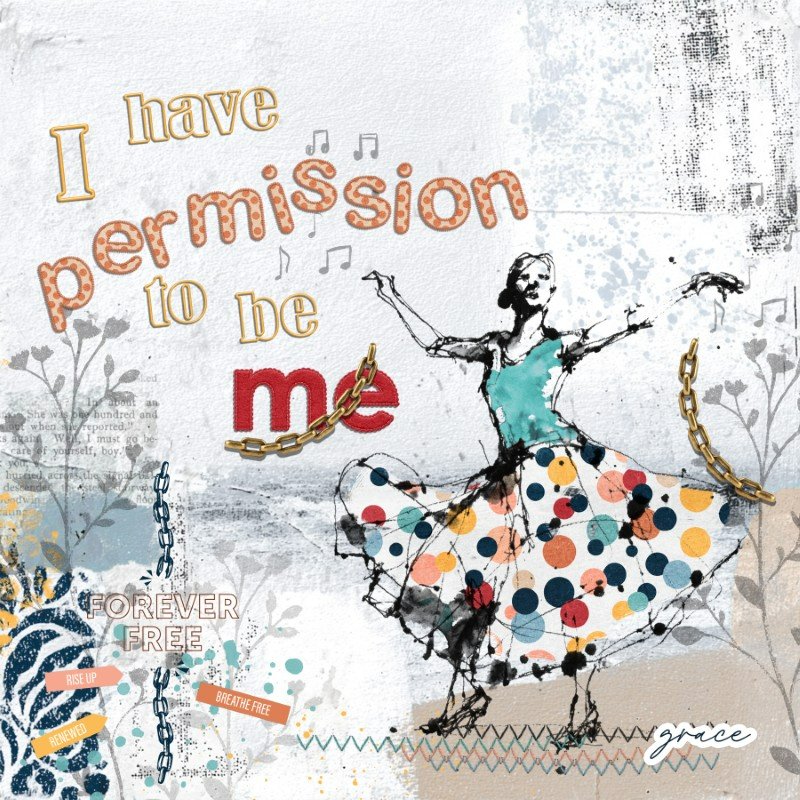
I have created a video of my process creating this page, you can see it here:
Challenge requirements:
Now go have fun and I can't wait to see what y'all create.
How to add a linked layout to this thread:
Once you have uploaded your layout to the gallery, scroll down to the bottom of the page. Under "Share this Media" you will see the text "Copy GALLERY BB code". Right below that you will see two rectangle boxes with text to the right. Click the two rectangles and that will copy the text to your clipboard. You can then paste the text in to this thread.

I'd like you to muse on the prompt "I have permission." Please include that phrase on your page.
I'd love to see where this takes you. Here are a few ideas to get you started.
- to play
- to be myself
- to be free
- to celebrate
- to be happy
- maybe art journal about something you were given permission to do
- or maybe something you need to give yourself permission to do
- maybe create about a rite of passage such as becoming old enough to open a bank account, or drive a car, or drink alcohol etc.
Permission
Example Page for the May Art Journaling Muse Challenge. I videoed my process. If you want to...
I have created a video of my process creating this page, you can see it here:
Challenge requirements:
- Use the prompt as your muse and include it on your page: "I have permission"
- If you create multiple entries please use a different take on the prompt
- Your creation can be all digital or hybrid.
- As always you need to include TLP products on your page and meet the requirements to post in the TLP gallery - Layouts must contain at least 50% TLP products; Uploads must be less than 250k; List all credits; no off-site linking allowed.
- Please post your layout your Member's gallery, and tag with the "art journaling" tag prior to Midnight EST 31 May 2026 and then post it in this thread. (Directions below on adding a layout to this thread.)
Now go have fun and I can't wait to see what y'all create.
How to add a linked layout to this thread:
Once you have uploaded your layout to the gallery, scroll down to the bottom of the page. Under "Share this Media" you will see the text "Copy GALLERY BB code". Right below that you will see two rectangle boxes with text to the right. Click the two rectangles and that will copy the text to your clipboard. You can then paste the text in to this thread.
Last edited:


