
- Joined
- Jun 28, 2008
- Messages
- 33,834
We are cruising right along for MOC13 "The Next Chapter"! I hope everyone is loving having the Month of Challenge back as much as I am!
My challenge for you today is to create a Year in Review layout. You may choose to capture the year we just finished (2025) or any other year in the past that you’d like to scrap about. I’m leaving you to interpret exactly how you want to capture a year in review, but here are some ideas:
The specific instructions for this challenge are simple!
Create a layout that captures either one calendar year or one school year.
Here is my page:
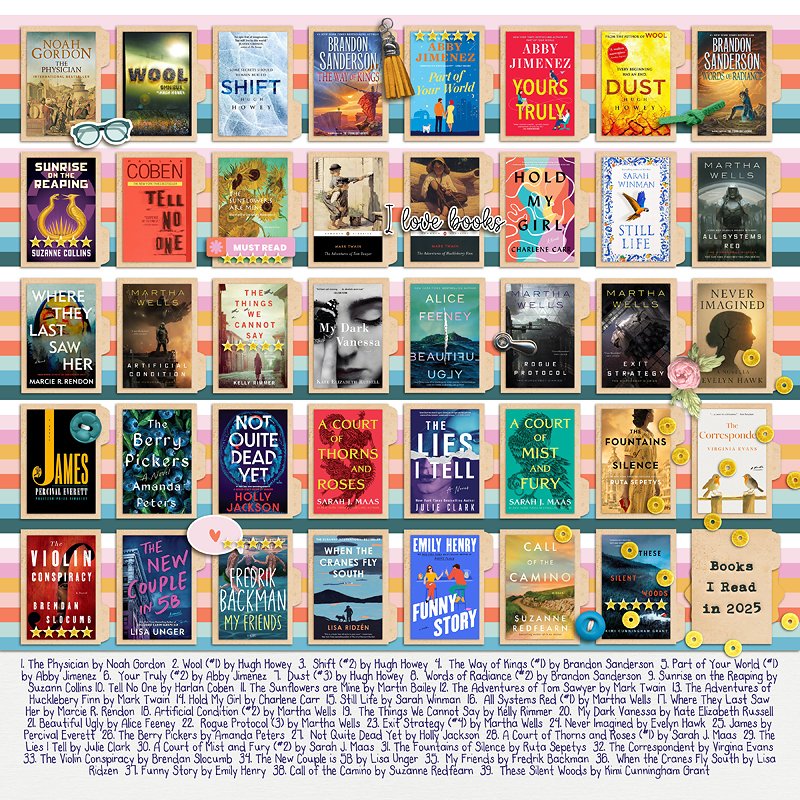
For my page, I used:
Bookworm | Elements Pack by Rachel Etrog
Bookworm | Papers by Rachel Etrog
File folder from May 2013 Storyteller by Just Jaimee (retired)
Fonts:
The Sophia by Heather Joyce (title)
The Skinniness by Heather Joyce (journaling)
Here are a couple of sample layouts of more traditional Year in Review layouts too.
From StefanieS:
And from Christa (cfile):
In addition to the specific instructions above, your page must be a new page in order to count for the Month of Challenges. Your page must be posted in three places:

Your page must contain Lilypad product (pages with photos and font only do not count). Product from other stores will not be allowed for MOC; your pages must contain 100% Lilypad product (current or retired product from designers or guest designers presently selling at The Lilypad). For more details, check out THIS post.
I’m looking forward to seeing your Year in Review layouts!
My challenge for you today is to create a Year in Review layout. You may choose to capture the year we just finished (2025) or any other year in the past that you’d like to scrap about. I’m leaving you to interpret exactly how you want to capture a year in review, but here are some ideas:
- create a page that has one picture for each month
- create a layout that has a collage of pictures that covers a whole year
- create a page that shows pictures of one tree as it changed over the course of a year
- create a layout that shows how much a kid changed from the first day of school compared to the last day of school (but in the same school year)
- capture your favorite meals from the last year
- and my favorite… capture the books you read in a year!

The specific instructions for this challenge are simple!
Create a layout that captures either one calendar year or one school year.
- Create a layout that captures one calendar year or one school year.
- Photos are not required, but if you don’t have photos, you must have journaling that cover one whole year.
- It must be clear from your layout what year you are capturing either using a title, photos that clearly show the year or clear journaling describing the year you are capturing in review.
- Because it’s “in REVIEW” it must be a year in the past.
Here is my page:
For my page, I used:
Bookworm | Elements Pack by Rachel Etrog
Bookworm | Papers by Rachel Etrog
File folder from May 2013 Storyteller by Just Jaimee (retired)
Fonts:
The Sophia by Heather Joyce (title)
The Skinniness by Heather Joyce (journaling)
Here are a couple of sample layouts of more traditional Year in Review layouts too.
From StefanieS:
And from Christa (cfile):
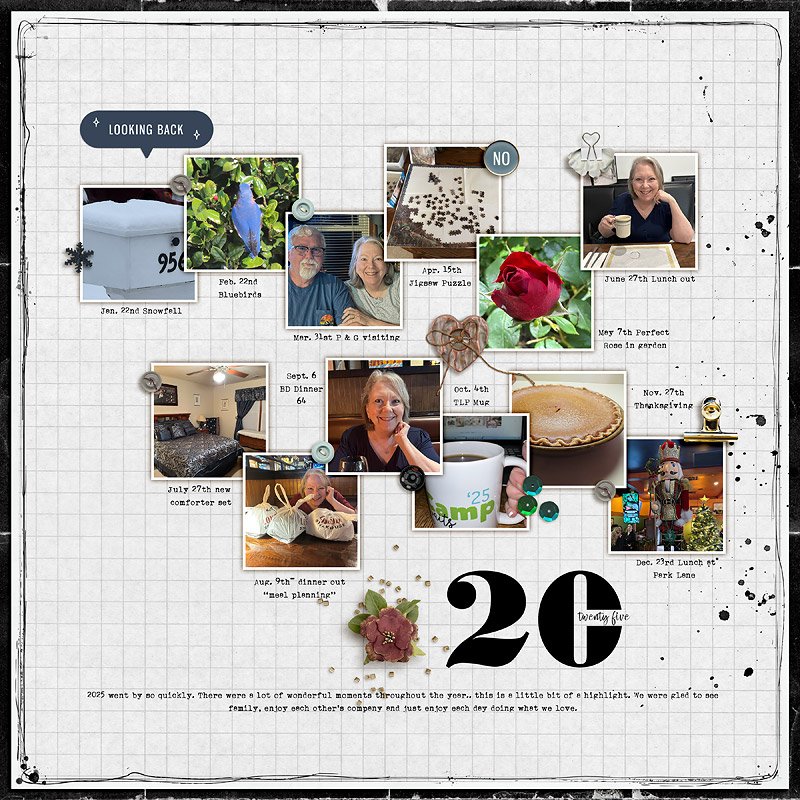
MOC13 January 21 Year In Review | 2025
Journaling at bottom: 2025 went by so quickly. There were a lot of wonderful moments throughout...
In addition to the specific instructions above, your page must be a new page in order to count for the Month of Challenges. Your page must be posted in three places:
- Uploaded to the TLP Gallery (no outside hosting will be permitted)
- Posted in your MOC 13 page thread you created in the MOC Layouts Folder, using the Copy GALLERY BB found on the right side of your page in your gallery
- You should have one post per completed challenge page. If you complete all 31 challenges, your thread should contain 31 posts
- Please do not comment in the participants’ page threads so we can keep them clean
- Posted in this thread using the Copy GALLERY BB found on the right side of your page in your gallery.
Your page must contain Lilypad product (pages with photos and font only do not count). Product from other stores will not be allowed for MOC; your pages must contain 100% Lilypad product (current or retired product from designers or guest designers presently selling at The Lilypad). For more details, check out THIS post.
I’m looking forward to seeing your Year in Review layouts!
Last edited:


