Watch Me Scrap with Affinity 2025 & 2026

Angela Toucan

I keep looking for THAT wardrobe
Pollywog
Joined
Nov 6, 2017
Messages
10,062
As they have been popular, I am continuing with my watch me scrap in Affinity videos on YouTube.

Here's one I did today

Listing of 2024 videos.

Videos for 2025:
June: Ready to Soar - Single photo using a mixed media scrapbooking collection.

All videos after Oct 2025 use Affinity Studio.
November: Penguins - Using the New Affinity Studio for the first time. Techniques used: Advanced Shadows, and Blending Modes.
Snaps of Photographers - Using psd template and abr brushes

Videos for 2026:
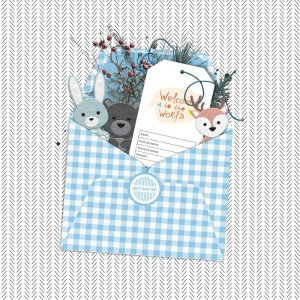
MOC Day 8 - Filled Envelope - includes tutorials for different types of shadows.
MOC Day 20 - Tunnel of Light - includes adding a page to an existing document, and using the transparency tool
Feb: Home in the Snow - includes transform, alignment and cropping tools, and installing and using .abr brushes
Feb: LEGO Cars - using .png photo masks
March: Daffodils - using the BYOC. Techniques used include the HSL layer adjustment
April: Oops - Photoless layout using the iNSD blog hop kit
May: Art Journaling Page - Permission
 
Last edited:
I downloaded and plan to play around with it. My attempt is to use it for the vector side of designing. So we'll see....
 
My first page using the new version of Affinity Studio

My completed page:
https://the-lilypad.com/forum/galleries/penguins.596711

Thank you so much, @Angela Toucan! I learned some great things from your video. I didn't know that awesome easy way to copy layer effects by drag & drop, this makes the workflow so much better! And I got inspiration to work with the (former) publisher tools for scrapping, too. So far I usually used affinity photo for my pages.
 
Last edited:
thank you @Angela Toucan for your video tutorial, I made a new signature with Affinity. It's a bit longer than usual because it's all new for me but with practice, I'll get faster. I still need to improve my shadows.
 
I'll have to watch this one; I'm really hoping Affinity 3 can use TIFF or psd template files as I thought previously Affinity used PNG's and the thought of dragging in individual PNG's to 're-make' a template was a deal breaker
 
I'll have to watch this one; I'm really hoping Affinity 3 can use TIFF or psd template files as I thought previously Affinity used PNG's and the thought of dragging in individual PNG's to 're-make' a template was a deal breaker
Yes, you can use psd and tiff templates in Affinity. Have been able to do so since Affinity 1. (It was the predecessors to Affinity that didn't)
The only issue is if a designer has applied a Photoshop style to an element or layer. Photoshop styles don't import (Adobe won't let them). You'll get an error message saying that a layer either didn't import (if it was a style layer rather than an object with a style applied) or imported with errors (an object imported without the style applied)
https://the-lilypad.com/forum/threads/affinity-tutorial-using-templates-in-psd-format.88893/
I've used psd templates in many of my previous watch me scrap videos. Tiffs work exactly the same way.
 
Yes, you can use psd and tiff templates in Affinity. Have been able to do so since Affinity 1. (It was the predecessors to Affinity that didn't)
The only issue is if a designer has applied a Photoshop style to an element or layer. Photoshop styles don't import (Adobe won't let them). You'll get an error message saying that a layer either didn't import (if it was a style layer rather than an object with a style applied) or imported with errors (an object imported without the style applied)
https://the-lilypad.com/forum/threads/affinity-tutorial-using-templates-in-psd-format.88893/
I've used psd templates in many of my previous watch me scrap videos. Tiffs work exactly the same way.
Thanks, yep I saw an error message earlier on a template I dragged in as a test. I don't think the tiff gave me the error but the psd did (or vice versa) for the exact same template (just different format) which I thought was interesting
 
i made a page in Affinity - i don't know how to search for the answer to this so hopefully you can understand from the screenshot @Angela Toucan - every time i click a layer in the ?layers palette i get a blue (or purple) mostly box around it even if the layer is turned off (not visible with the eye thing)- or even when it's not selected (like the text box with the date in it on the frame); i figure that's the edges of the element or paper layer (it's paint in this screenshot but honestly it's annoying and i'd prefer to turn it off, can i do that? (or could you in previous versions as i realise this is a new version for everyone)
Screenshot 2025-11-10boundingboxes.jpg


And while i'm asking Q's, is there a keyboard option to make sure something centers when i drag it in? like in photoshop, if i held shift while dragging in a paper it would automatically center and fill the page instead of me having to align it like i've been doing in Affinity - i tried ctrl, alt and shift and they didn't seem to help
 
@bellbird the answer to you first question is - I think that's how Affinity works - that's your selected object, selected. The box has handles on it for rotating and resizing etc. I've never tried changing that as I'm used to it - it's standard on desktop publishing which is my digital background.

Second question, I've never tried that sorry.

Affinity has a discord based user group. The user group are generally very good at answering questions.
 
@bellbird the answer to you first question is - I think that's how Affinity works - that's your selected object, selected. The box has handles on it for rotating and resizing etc. I've never tried changing that as I'm used to it - it's standard on desktop publishing which is my digital background.

Second question, I've never tried that sorry.

Affinity has a discord based user group. The user group are generally very good at answering questions.
Is there a French group ?
 
You can watch me scrap today's MOC challenge. I've been asked for a shadows tutorial, and as this page uses lots I've taken this opportunity to explain shadow creating in more detail than I normally do.


My finished page in the gallery. (image linked)
 
You can watch me scrap today's MOC challenge. I've been asked for a shadows tutorial, and as this page uses lots I've taken this opportunity to explain shadow creating in more detail than I normally do.


My finished page in the gallery. (image linked)
So glad to see you’re posting another video! You do such a good job!!
 
Back
Top