
- Joined
- Jan 17, 2010
- Messages
- 7,434
How very cool!!!
Follow along with the video below to see how to install our site as a web app on your home screen.
Note: This feature may not be available in some browsers.


@RJMJ What an amazing job you have done with Elements. Adobe Elements is a lot like Photoshop but doesn't have all the features of the full Photoshop CC. There might be someone in this forum who can help you as I have always used Photoshop and wouldn't be of help to you. There is also a multitude of tutorials available on the web and tons of utube videos. Just to explain what smart objects are, when you convert a layer to a smart object this allows you to change effects over and over on that single layer instead of creating a new layer for every effect. But I am really glad you tried this challenge and had a bit of fun doing itHey There Everyone...I'm No Expert in Photoshop But I Can't Get My Photo(s) To Look Anywhere Like This...I Don't Understand That "Smart Object" Terminology & I Can't Get My Photos To Look Anywhere Like These Ones...They Keep Changing The Color Of The Photo To Weird Colors...I Don't Usually Use Photoshop & I Don't Really Understand How To Do This...I Have Problems With Working With Layers...Don't Understand This Concept...Merging Layers Together...I Can't Get My Program To Do This Properly...I Have Photoshop Elements 2019...It Was Given To Me As A Gift But I Don't Really Get Using It...I Love My Older Program & You Can't Do These Things In My Program...Here's What I Got As A Result...Help Please...
View attachment 346897


@RJMJ In step 7 of the tutorial, did you change the blend mode on the halftone layer and on the cutout layer?Hey There Everyone...I'm No Expert in Photoshop But I Can't Get My Photo(s) To Look Anywhere Like This...I Don't Understand That "Smart Object" Terminology & I Can't Get My Photos To Look Anywhere Like These Ones...They Keep Changing The Color Of The Photo To Weird Colors...I Don't Usually Use Photoshop & I Don't Really Understand How To Do This...I Have Problems With Working With Layers...Don't Understand This Concept...Merging Layers Together...I Can't Get My Program To Do This Properly...I Have Photoshop Elements 2019...It Was Given To Me As A Gift But I Don't Really Get Using It...I Love My Older Program & You Can't Do These Things In My Program...Here's What I Got As A Result...Help Please...
View attachment 346897


Thank you for entering the challenge, I hope you try it againThank you for sharing this technique! This was fun!
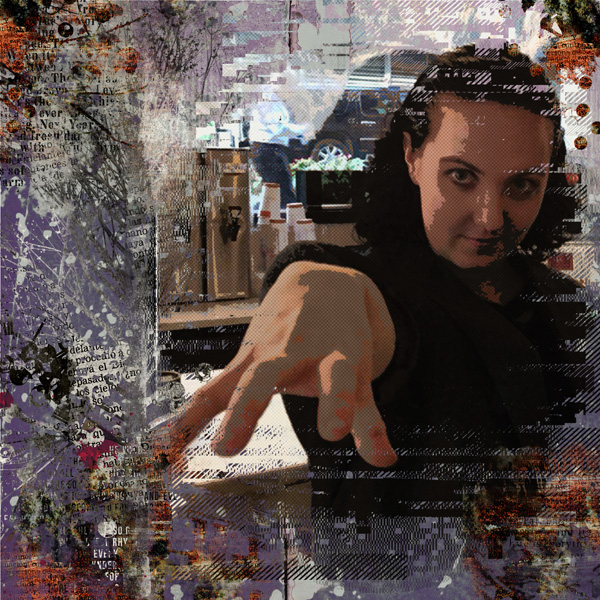
Hope you liked the technique AJKI tried your technique. It was not too difficult! I didn't have more than brushes for NBK, so it can't count in the challenge- but that's ok! I still wanted to give it a go! Thanks!
Great job with the technique, thanks for entering the challengeThank you for sharing this technique! This was fun!
Glad you had a go at the challengeI tried your technique. It was not too difficult! I didn't have more than brushes for NBK, so it can't count in the challenge- but that's ok! I still wanted to give it a go! Thanks!