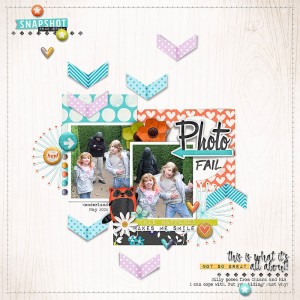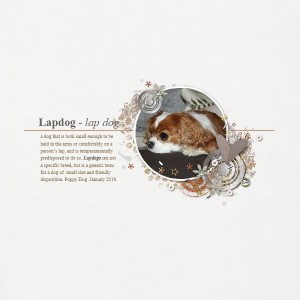
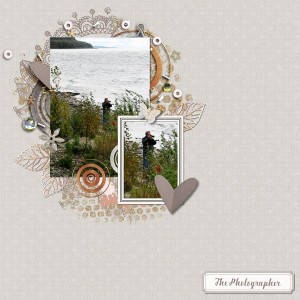
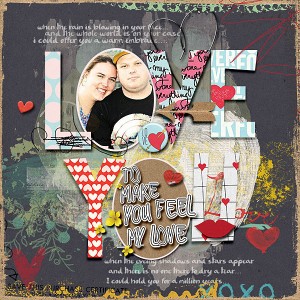
Another fantastic vintage layout! @cfile Can I ask what you are using to convert your slides to digital? I've got a slide scanner, but I'm not happy with the results.
@mcurtt I used a slide scanner as well. Sometimes I had issues with color or lots of lint on them, that in post processing I fixed but for the most part that is how I did it. I know I scanned slides multiple times too.. forgetting I scanned them before so I pick whichever looked better. These I think I fixed a while ago with the lint issue. Thank you for the compliment I fix using sometimes Portrait Professional which is a plug in to fix faces.. other times with healing brush and content aware tools in Photo Shop depending on what needs fixing. I have my parents wedding slides from 1955 and I am thrilled with them. I have cleaned up a few and if I cannot fix color then I change to B/W. Good luck. @mcurtt if I can help you in any way, let me know.
@cfile My biggest complaint is awful color. Do you adjust color settings in your scanner? Or do you just upload them to your computer & fix them with Photoshop? With my slide scanner, you make a change & you are doing it blind. You have no idea what your modifications have done to the color. So you adjust, scan, grimace & then start over.
GASP... this is breathtaking! Wonderful heritage layout. You've customized this cluster like a pro! Love the word art and the border paper ties the layout together beautifully with your dress and draws you right into the photos. Wonderful take on the challenge. Thanks for playing along!
p.s. thanks for explaining your scanning process. I need to tackle some slides too.
@mcurtt this is the slide scanner I have (an older version but the same.. it is a wolverine) It also scans negatives. I basically scan them in, no adjustments can be done on them.. I adjust them in Photoshop (I now have LR, but still use PS mostly) [and sometimes Portrait Professional plug in if there are faces involved.] You can see what is being scanned via the viewfinder. I really like it.. The scanner that is like a copier , I had that a while back too, and did not care for it. The Wolverine is pretty good. Here is the thing from Amazon on the similar one that I have. https://www.amazon.com/Wolverine-Di...-TV-Out/dp/B002TKMG92/ref=zg_bs_5728049011_16 You put slides in the tray and slide them through and press the button to scan as you slide each one in. The same goes with the 35 mm negatives. After a bit it is like a system you get going.. 4 slides in ... scan scan scan scan... remove 4 slides replace 4 slides... all slides scan onto an SD card chip and then you take the SD and put it in your computer. EZ!! Hope that helps!
Thanks @keepscrappin for your comments and the fun challenge. If you see above the link I put in for Amazon of the similar slide scanner I use. The slides above are my Mom & my Grandfather
@cfile - what resolution does that scanner scan to? 300 ppi? 600 ppi? Just wondering if they would be big enough for enlarged prints and full photo 12x12 layouts. TIA
@keepscrappin it is showing 96 however with that being said, the images are Approx 26.25in X 17.5in and 2520 pixel X 1680 pixel and 12.1M size so as for your scrapping books at 12X12 it will be fine. The quality is fine.
Here is product info: "Wolverine has created a very simple to use device to convert all your 35mm film into a 5 mega pixel JPEG digital images in seconds. So simple to use, it only requires a push of button - NO computer or software is needed.Use it right out of the box to convert all your 35mm Negatives and Slides by simply plugging it into an AC outlet or any USB port. All images are saved on internal memory or external SD memory card for your convenience to instantly play them on the unit's color screen, TV or upload them to your computer."
This site uses cookies to help personalise content, tailor your experience and to keep you logged in if you register.
By continuing to use this site, you are consenting to our use of cookies.