


Eggstremely Cute
- Description
- *****
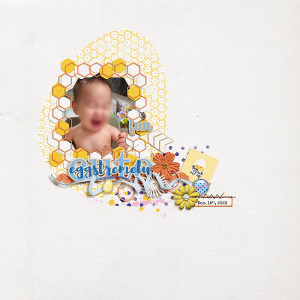
For MOC Day 26 : Repeating, Transforming and Connecting Shape/s to Make a Frame
I took a simple hexagon shape. First I used only the outline version, connnected a few to make a row, then grouped them and copied that row and flipped it to make a column. I mutiplied the row and the column to finish the other sides of my frame.
I had left another version of those multiple hexagons separated, filled version this time, so that I can use them as a kind of spread under my outlined frame and add a layer of framing to my picture, I clipped paper to them. They are transformed with rounded corners to contrast with the straight outline version.
The photo mask is also 2 hexagons with rounded corners merged together (1 vertical + 1 horizontal)
Credits :
Eggspert Hunter | Kit by ninigoesdigi ONLY @ THE LILYPAD
Eggspert Hunter | Pocket Cards by ninigoesdigi ONLY @ THE LILYPAD
Font : Special Elite (date)
*****