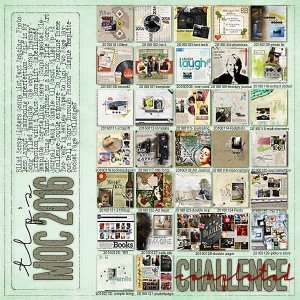
@mcurtt if you use photo shop (not pse) there is under File > Automate > contact sheet that will help you to do it fairly quickly You just tell it how many columns and how many rows... I used 5 columns and 7 rows
The first thing you do is open all your jpegs of your pages made then go to File>Automate>Contact Sheet and make sure when the window opens you have the flatten layers UNCHECKED as otherwise you won't be able to move anything around.
Have fun!!
@cfile Yep, I've used it before. I've used it on my highlights of 2015 for this challenge. That included 320 photos. I just hadn't thought of doing a composite for the MOC, but I'll work on it when I get home, my day 32.
This site uses cookies to help personalise content, tailor your experience and to keep you logged in if you register.
By continuing to use this site, you are consenting to our use of cookies.