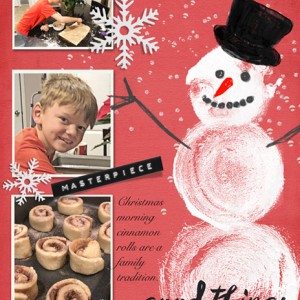

CinnamonRolls-Preston_12-19
- Description
- I am way underpaid for all the work THIS project entailed! This is a follow-up to a thread we had going in the Chatty Pad about the new PS for iPad app.
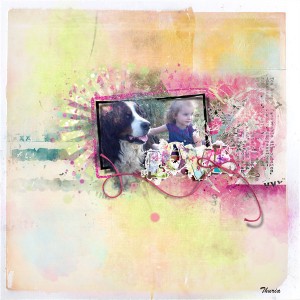
I realized that next month I'm going to want to take my iPad to Arizona with me and see if I can use the new PS app on it. I played with it briefly when it first came out, but it is woefully inadequate at this point for scrapping. You can't make a stroke or a shadow with it...or even a shape (ie., rectangular white mat). To accomplish the "strokes," I had to duplicate a photo, and fill it with white (also not just automatic!), make it a little bigger, then duplicate it twice again, adjusting sizes and placing below the other two photos. There are no rulers/guides. I saved the project as a .psd, moved it to my cpu to add shadows, and make sure things were aligned. I should have added strokes on the cpu too, but was trying to do as much as I possibly could on the iPad. It was actually becoming easier and almost fun the further I moved along.
If I had a day job, I wouldn't go to all this work, but I know it will pay off someday, when Adobe adds more features to the app.
khadfield_RedWhiteNBlue_cardstockred
nbk-whitechristmas-ABP1-ArtsyBit-30
nbk_PL2015_12_ABP05
nbk_PL2015_02_goodthings
nbk-artANDjournal-WA-BLACK-masterpiece
nbk-white-christmas-ABP2-snowflake3
Font: Snell Roundhand
Photos by my DD, Zanna Boucher
Made entirely on my iPad with PS, except for the drop shadows, which I added on my cpu.
