
- Joined
- Jan 1, 2013
- Messages
- 3,414
Thank you to those that joined me today, and the challenge is open until 3 PM EDT June 18th.
The bottom photo mask has color burn and the duplicate photomask has hard light.
Gallery version: I did change the blending mode on the Valencia paper to linear burn in the gallery version:
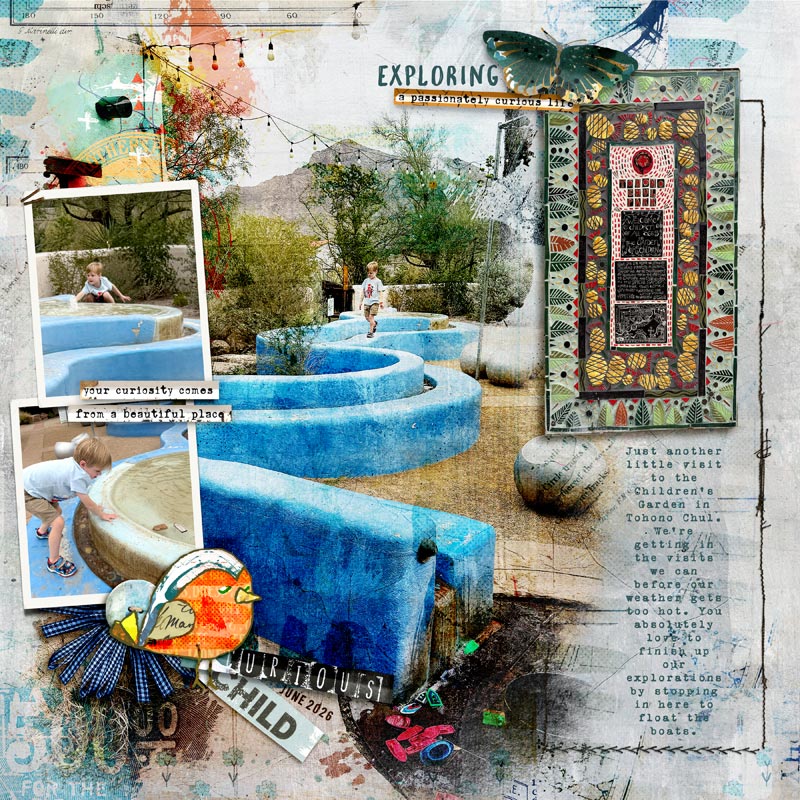
Here is my page somewhat still in progress, here. I will post later in the gallery. I'm using a mix of goodies from today's SOSN:
Lynn Grieveseson's Darcy Template Set and Valencia Kit
Rachel Jefferies Stay Curious
Rachel & Lynn's Hear My Voice Building

- Create a large photo mask using a combination of at least 1 mask and 1 transfer element, alternatively use 2 or more transfers. For ease group your mask layers, alternatively you can merge them. Grouping allows for easier adjustments to fit the photo. Add a large photo to your new mask — add above the mask group and clip to the mask.
- Add a background paper below your mask — color of the background paper will affect any blend modes you might apply
- Use this as the base for your layout.
- Experiment with blend modes on the mask grouping — results will vary based on the background paper and your photo. You might play more and duplicate the mask and photo layers and apply a different blend mode. (1 - Depending on the transfers/masks you use, you might choose to apply different blending modes on different mask layers vs the group. 2 - If the mask is leaving a "hole" in your photo in an undesirable spot, use a paint brush on that mask layer to fill it in)
- Add any other photos or embellishments as desired to complete your page
- Upload to the Lilypad Gallery, add designer tags and slow scrap tag.
- Copy the BB Code and paste in this forum thread
- Deadline is 3 PM EDT on June 18th
- We’ll have a random scrap cash prize for one lucky participant
The bottom photo mask has color burn and the duplicate photomask has hard light.
Gallery version: I did change the blending mode on the Valencia paper to linear burn in the gallery version:
Tohono Chul Children's Garden
For the June 17 Technique Slow Scrap...
Here is my page somewhat still in progress, here. I will post later in the gallery. I'm using a mix of goodies from today's SOSN:
Lynn Grieveseson's Darcy Template Set and Valencia Kit
Rachel Jefferies Stay Curious
Rachel & Lynn's Hear My Voice Building
Last edited:


