


Summer Fun (Beach-photofix)
- Description
- Fixing photo that I used for my Summer Fun page:
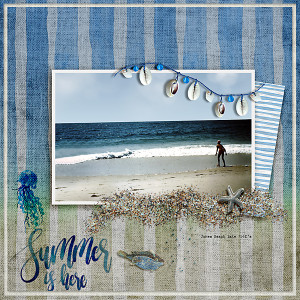
Credits for page noted on actual layout (all PK designs!)

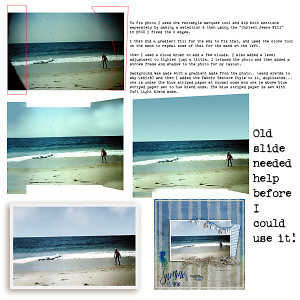
To fix photo I used the rectangle marquee tool and did both sections seperately by making a selection & then using the “Content Aware Fill” in PSCC I fixed the 2 edges.
I then did a gradient fill for the sky to fix that, and used the clone tool on the sand to repeat some of that for the sand on the left.
then I used a cloud brush to add a few clouds. I also added a level adjustment to lighten just a little. I trimmed the photo and then added a stroke frame and shadow to the photo for my layout.
Background was made with a gradient made from the photo.. (sand e2e1da to sky 9eb5cb) and then I added the Fabric Texture Style to it, duplicated... one is under the blue striped paper at normal mode and one is above blue striped paper set to hue blend mode. The blue striped paper is set with Soft Light blend mode.
