Automatic Memory Keeping
A couple of months ago, I started using If This Then That to automatically gather all my social networking updates into Evernote. I had read an article on Lifehacker about it. I loved the idea that I could gather my Facebook status updates, my Twitter tweets, my Instagram photos and captions, and my blog updates straight into a note in Evernote, without me having to do any of the work! Each new update appends to the previous ones in the note, and fairly soon, I had a time line of all my social networking activity that I could refer back to for memory keeping.
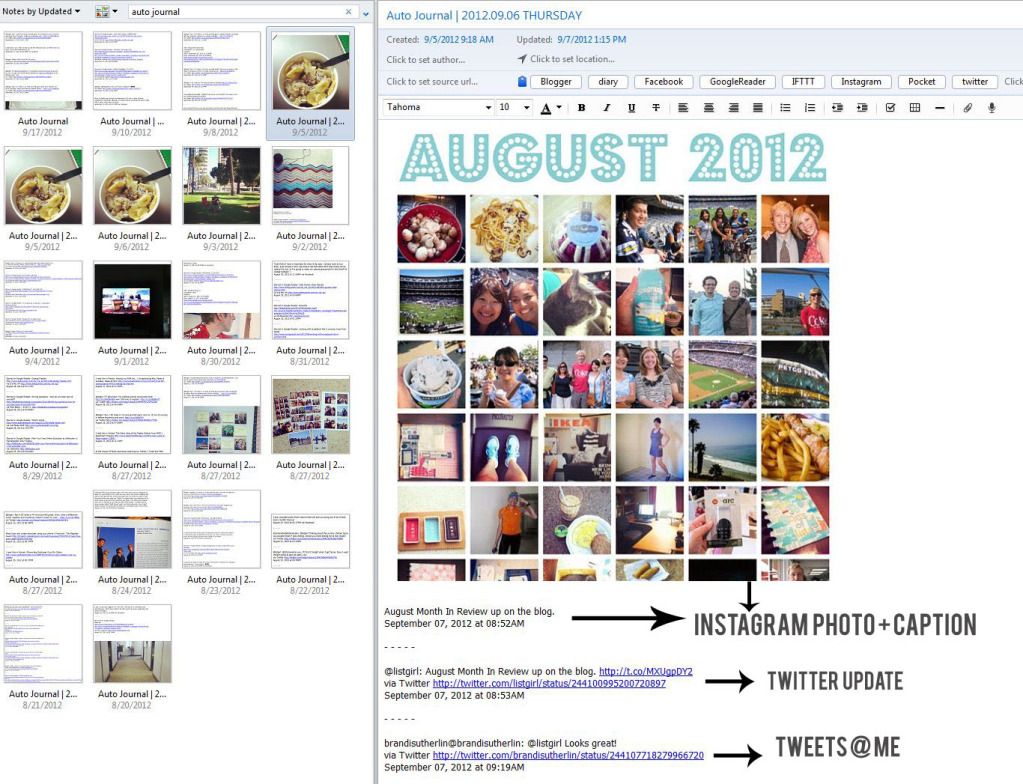
I could see this being very useful to refer back to when doing Project Life scrapbooking, or just to see what happened in your social networking world on a particular day.
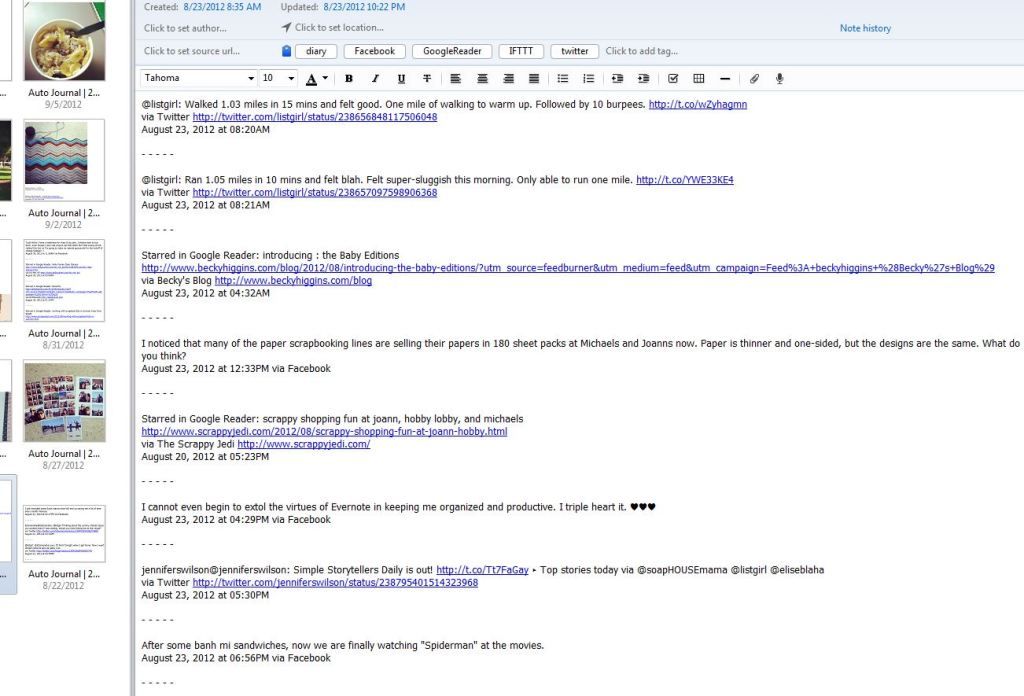
I even use it to keep track of blog posts that I’ve read in my Google Reader that I like. If I “star” it in Google Reader, then the title and link to that blog post automatically shows up in my Evernote note.
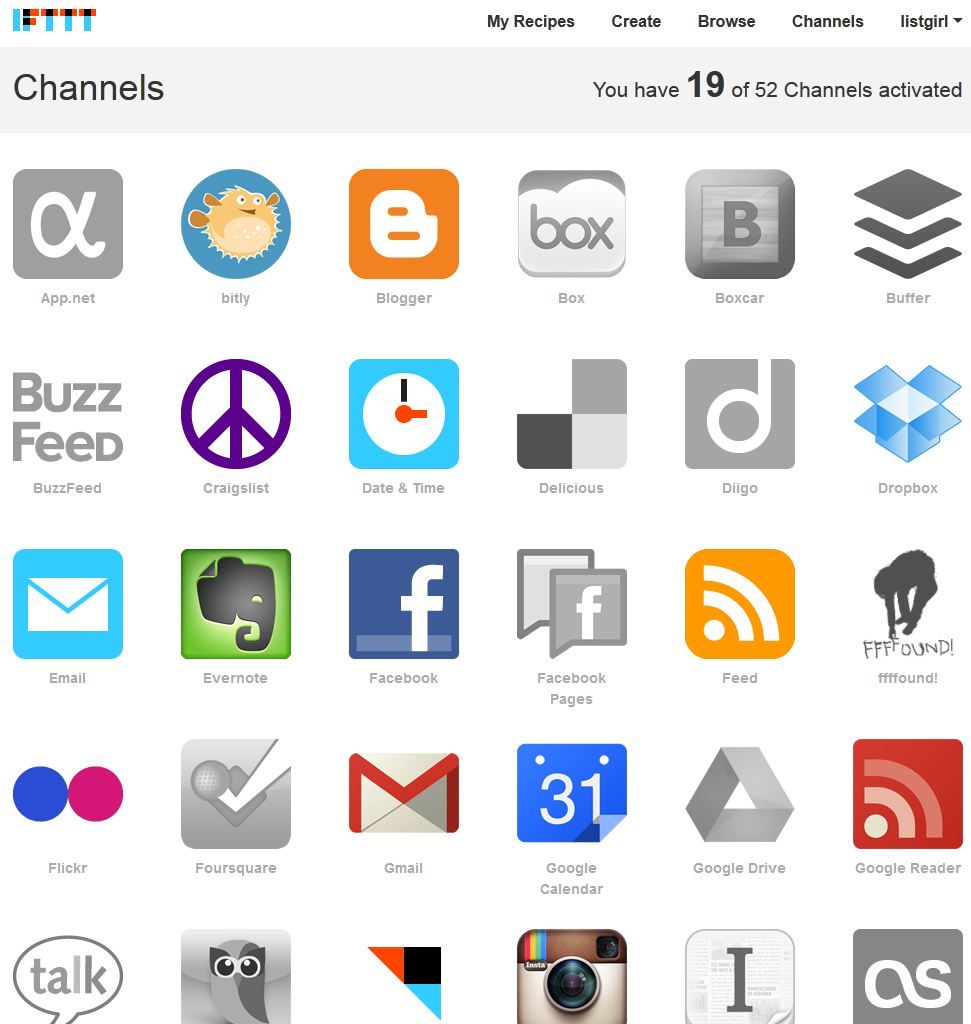
If This Then That is a site where you can sign up for an account and create “recipes” of connections between your social networking sites or your online presence. Each site is a “channel” and you can choose which channels you want to connect.
These are just a few examples of my own recipes.
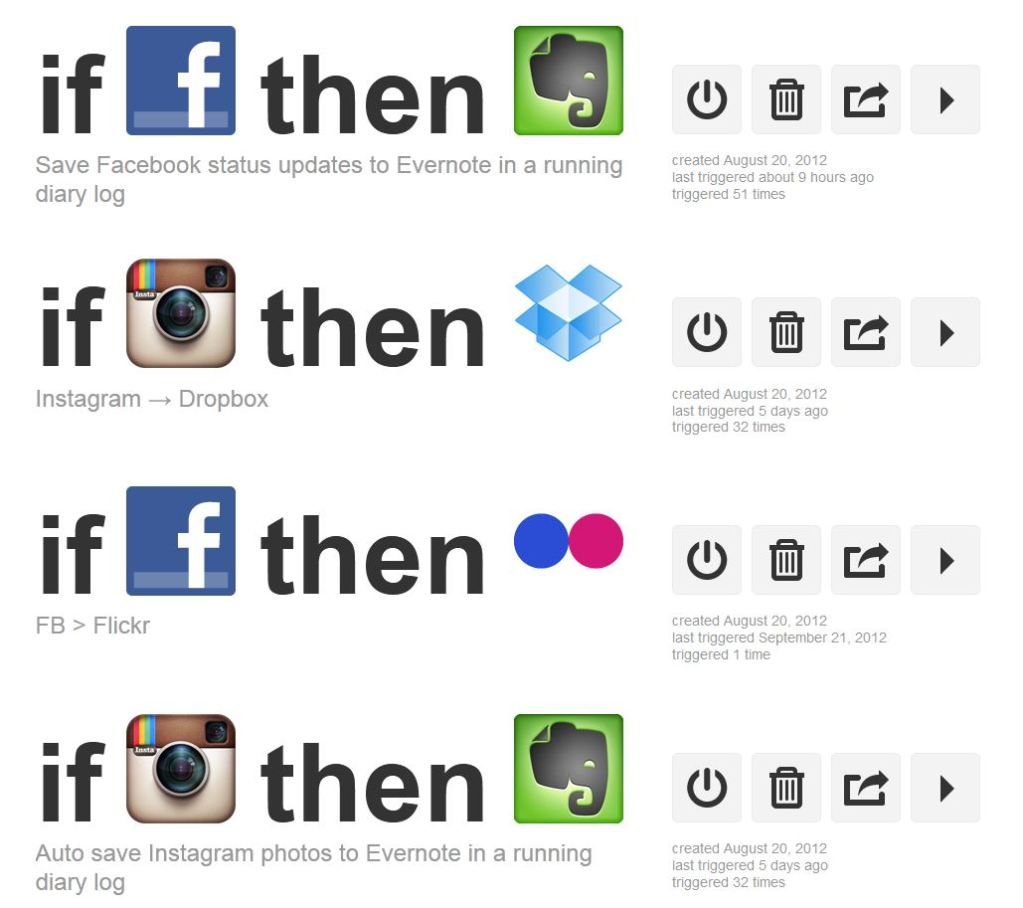
Here you see two of my recipes that send Facebook status updates and Instagram photos into Evernote. I’ve also created a recipe where my Instagram photos are automatically saved to a folder in my Dropbox, thus making them accessible from any computer and device.
This is just one way that I use technology to help me with memory keeping. And best of all, it’s free! Signing up for an account at If This Then That is free, and Evernote is free as well! If you want to find out more about using IFTTT and Evernote to archive your social networking updates, you can read this Lifehacker article: How to Automatically Archive Your Life with IFTTT and Evernote. Happy automatic memory-keeping! 🙂
Christine (listgirl)